/
/
How to Change the Interface Language

How to Change the Interface Language

You can easily change the interface language in your account settings. Follow these steps to select your preferred language:

1. In the left toolbar, click on Settings,’ and then select ‘My Profile.’
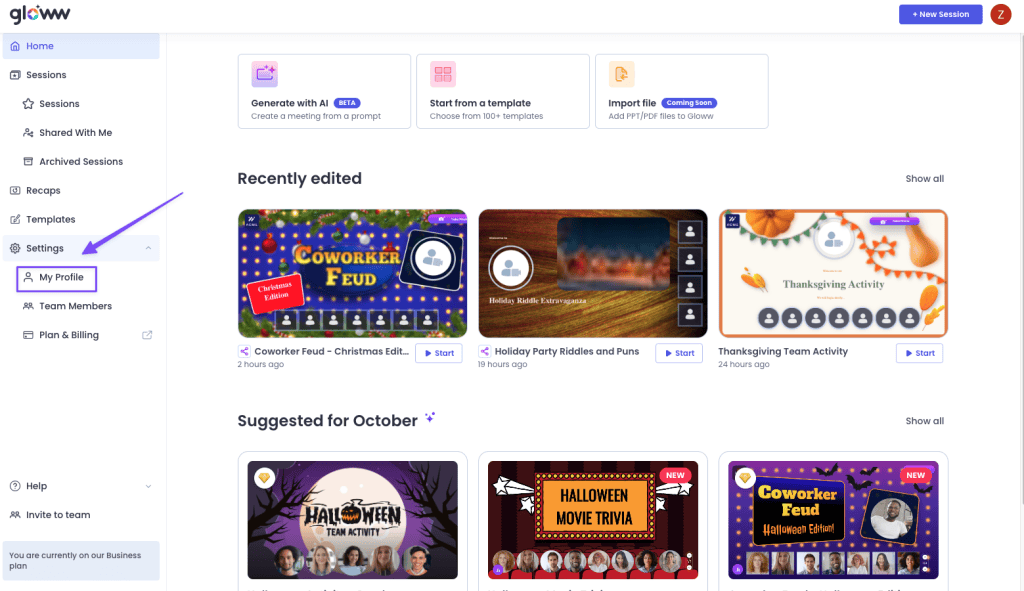
Settings  - my profile

2. Under the Language section, you will see the default option set to English.
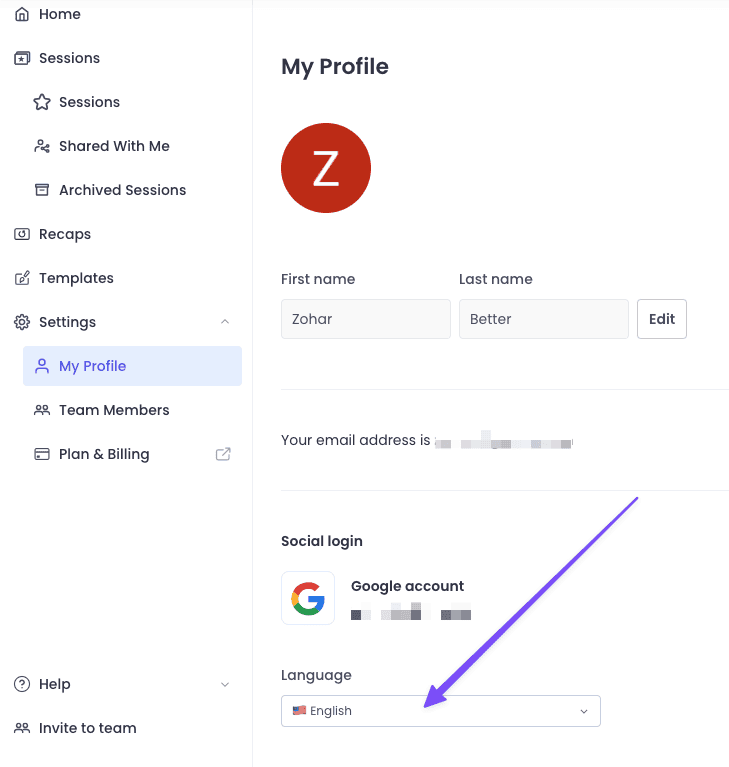
my profile

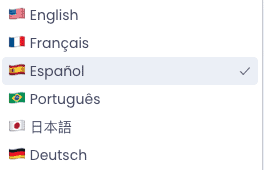
3. Click on the box where ‘English’ is written, and choose your desired language from the dropdown menu.

Contents
Need Support?

Can find the answer you're looking for?

1
2
3
4
5
6
Logo

Save Time, Teach Better using Gloww AI!

Answer 5 quick questions to get a personalized experience.

Get Paid to Shape the Future of K-12 AI

  1. Join a 20-minute Zoom consultation.
  2. Share your feedback with our team. 
  3. Get $50 Amazon Gift Card.
$50 AMAZON gift card